- Support
- Submitting Preferred Developers, New Tenants, or General Feedback
Updated: 14 June 2024
Submitting Preferred Developers, New Tenants, or General Feedback
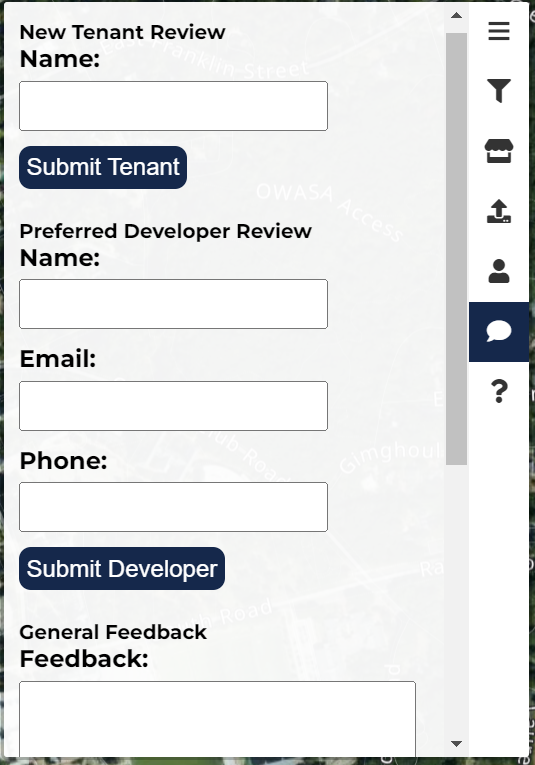
Proposing a Preferred Developer
- In order to propose a preferred developer, first, from the homepage, select the text bubble icon from the right taskbar.
- From here, begin by inserting the name of your developer, followed by an email and phone number at which CoLo can contact them.
- We will get in touch with your developer at our earliest convenience.
- You will be notified by email when CoLo has decided whether or not to approve of your submitted developer.
Submitting a New Tenant for Review
- In the case that you cannot find your tenant in our system, first, from the homepage, select the text bubble icon from the right taskbar.
- From here enter in your tenant's name beneath the section titled "New Tenant Review."
- We will begin reviewing your tenant at our earliest convenience.
Submitting General Feedback, Questions, or Concerns
- To submit any general feedback to CoLo, from the homepage, select the text bubble icon from the right taskbar.
- Scroll down to the bottom under "General Feedback" and enter in your feedback, questions, or concerns.